
NFC review stand for your counter: how it works and where to put it
Gal Sasson · Updated 20.10.2026 · 7 min read
The short answer
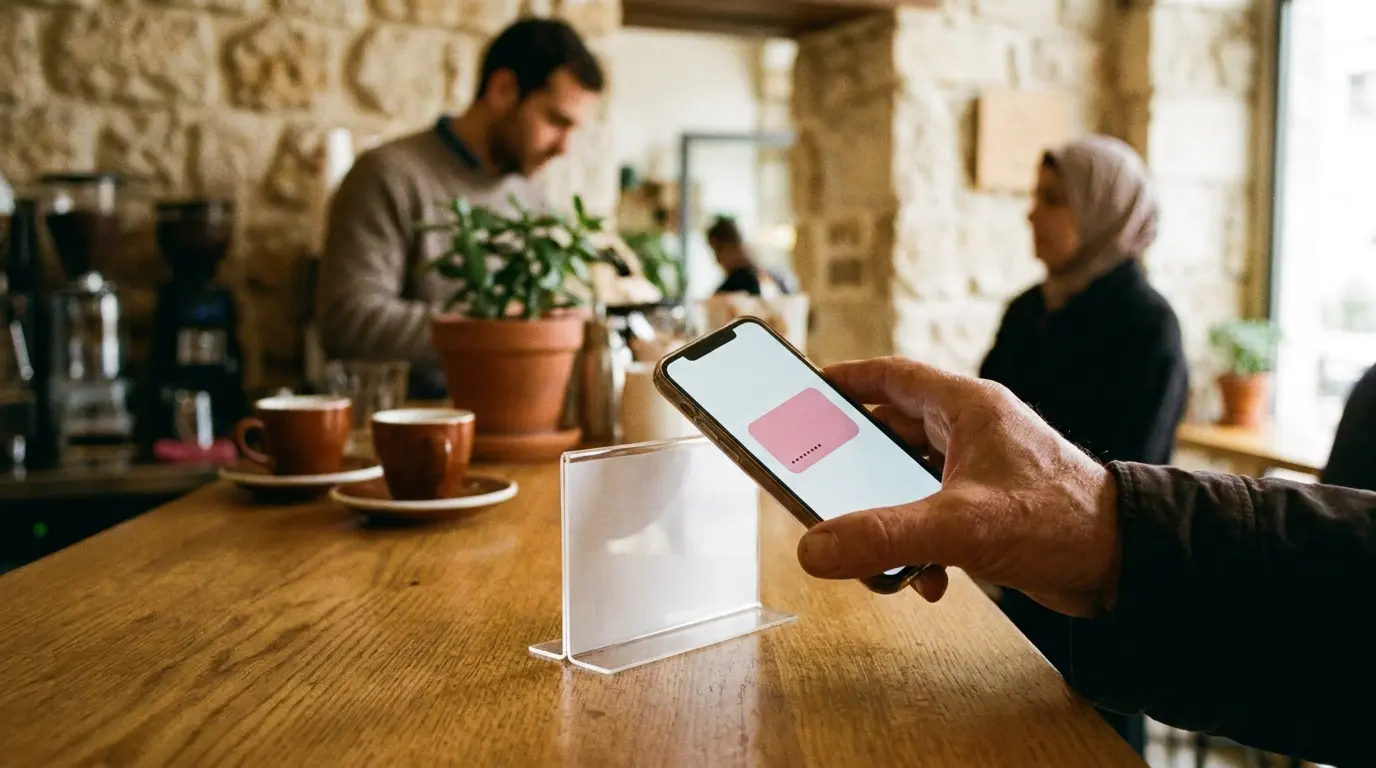
An NFC stand is a small stand for the counter with a chip inside. Bring a phone close to it, and the business card or the Google review form opens, depending on what you chose at setup. It stands at the point where the customer is already waiting, near the register. Whoever writes through it gets nothing in return.
What an NFC stand is
NFC is a technology that passes information between two things that are very close. You know it from paying with your phone at the register. An NFC stand uses it the other way around: inside the stand there is a small chip, and the customer brings their phone close to it. The phone opens a link, with no app and nothing to scan.
The stand sits on the counter, near the register or near the door. It does not need an employee to run it. The customer brings the phone close, and that is it.
What opens when a phone comes close
When you set up the stand, you choose what it opens. There are two options, and each has its own place:
| What opens | What the customer sees | Fits when |
|---|---|---|
| The business card | One page of the business: links, menu, questions, photos. With a button to Google too | You want the customer to know everything you have, and choose for themselves what to do |
| A Google review | The business's Google review form, with no need to search for the business | You want the shortest possible way to write about you on Google |
For example only: "Palm Salon" is a fictional beauty salon. The owners choose that the stand opens the business card. A customer waiting for her appointment brings her phone close and finds the price list, the opening hours and photos of their work. If she wants to write about them on Google, the button is there. If something bothered her, she can write to the owners directly.
On the other hand, the fictional "Hilltop Pizza" chooses that the stand opens the Google review form directly. Whoever picks up a delivery stands there for a minute, and the short way suits them.
Where to put the stand
The stand works only when people see it. A good place is where the customer is already standing and waiting, with a phone in hand. A few simple rules:
- Near the register, at the eye level of whoever is paying. The customer stops there anyway.
- Not right next to the card payment terminal. A customer who brings a phone close to pay should not confuse the two.
- Where people wait: near the pickup point, in the waiting corner, or next to the chair at the barbershop.
- With nothing in front of it. A stand hidden behind a jar of cookies does not work.
- With the card's QR code next to it, printed, for anyone whose phone does not respond to NFC.
Stand, QR sign, or a link in a message
The stand is not the only way to bring a customer to the business card or to Google. It is worth knowing what each way gives, so you can choose what fits your counter:
- A sign with a QR code: cheap, you can print it today and hang it in several places. The customer needs to open the camera and aim.
- A link the employee sends: fits a service where you already talk with the customer on WhatsApp, such as booking appointments. It arrives after the customer has left.
- An NFC stand: stands on the counter, and it is enough to bring a phone close to it. It stands out more than a sign, and is especially easy for whoever is at the register with a phone in hand.
There is no single right answer here. A business with a line at the register will gain from the stand. A business where the customer sits in a chair for an hour can make do with a sign next to the mirror. And some businesses combine them: a stand at the register, and a QR sign next to the door.
Which businesses the stand fits
The stand works well where there is a counter and the customer stands next to it for a few moments: a cafe, a bakery, an ice cream shop, a restaurant pickup point. At a beauty salon or a barbershop it can stand near the register or the reception desk. For a business with no counter, like a trainer who comes to the customer's home, a link or a QR code fits better.
What to say to the customer
A stand nobody mentions becomes part of the furniture. A short sentence from the employee, after payment, makes the difference. The sentence should be the same for every customer, including whoever looks less satisfied.
Notice what the sentence does not say: it does not ask for five stars, does not promise anything, and does not wait for the customer to finish. It invites, and leaves the decision to the customer.
What Google allows, and what it forbids
Google itself recommends reminding customers to write a review, for example with a link or a QR code. An NFC stand is one more way to do the same thing. But there are rules, and they apply to the stand too.
- You may ask customers to write about a real experience, with nothing in return.
- You may not offer an incentive, such as payment, a discount, or a free product or service, in exchange for a review, or for changing or removing a negative review.
- You may not pressure customers or demand that they write or rate while they are at the business.
In practice this means the stand invites, and no more. It is there for anyone who wants it. No employee stands over the customer until they finish writing, and nobody gets a free coffee for writing.
The stand and the club: two separate things
If you have a loyalty club with Shortip, it does not need the stand to work. Employees stamp the club card with the scanner on their phone, and customers join by scanning a sign at the register. The stand is a separate product, for whoever wants it.
You can have both on the same counter. You can also have only the club, or only the stand. You arrange the stand with Gal, and at setup you choose together what it opens.
What to check after a week
- That the stand is still in place. Things on a counter move, especially after cleaning.
- That bringing a phone close opens what you chose. Try it with your own phone.
- That your employees know what the stand does, and can explain it in one sentence if a customer asks.
- If you chose the business card: that the hours and links on it are correct.
Frequently asked questions
Does the customer need to download an app?
No. They bring the phone close to the stand, and it opens a link. Anyone whose phone does not respond can scan the card's QR code.
Do I need a loyalty club to get a stand?
No. The stand is a separate product, and the club does not depend on it. You can have one of them or both.
May I give a discount to whoever writes a review through the stand?
No. Google's policy forbids an incentive in exchange for a review, including a discount or a free product or service. The stand invites people to write, with nothing in return.
How much does the stand cost?
The stand is arranged with Gal separately from the subscription. Leave your details, and Gal will get back to you with the details.
Want a stand on the counter, a loyalty club, or both? Leave your details, and Gal will arrange it with you.